
Purchasing a Program
How clients purchase and enroll in AllCoach programs — the checkout flow for new visitors, returning clients, and free programs.
Last updated on May 19, 2026
Purchasing a Program
Clients purchase programs by visiting a checkout link you share with them. No WooCommerce or third-party store is required — AllCoach has its own lightweight checkout.
Sharing the Checkout Link
Every active program has a unique checkout link. To find it:
Go to AllCoach → Programs
Open the program
Copy the Checkout Link
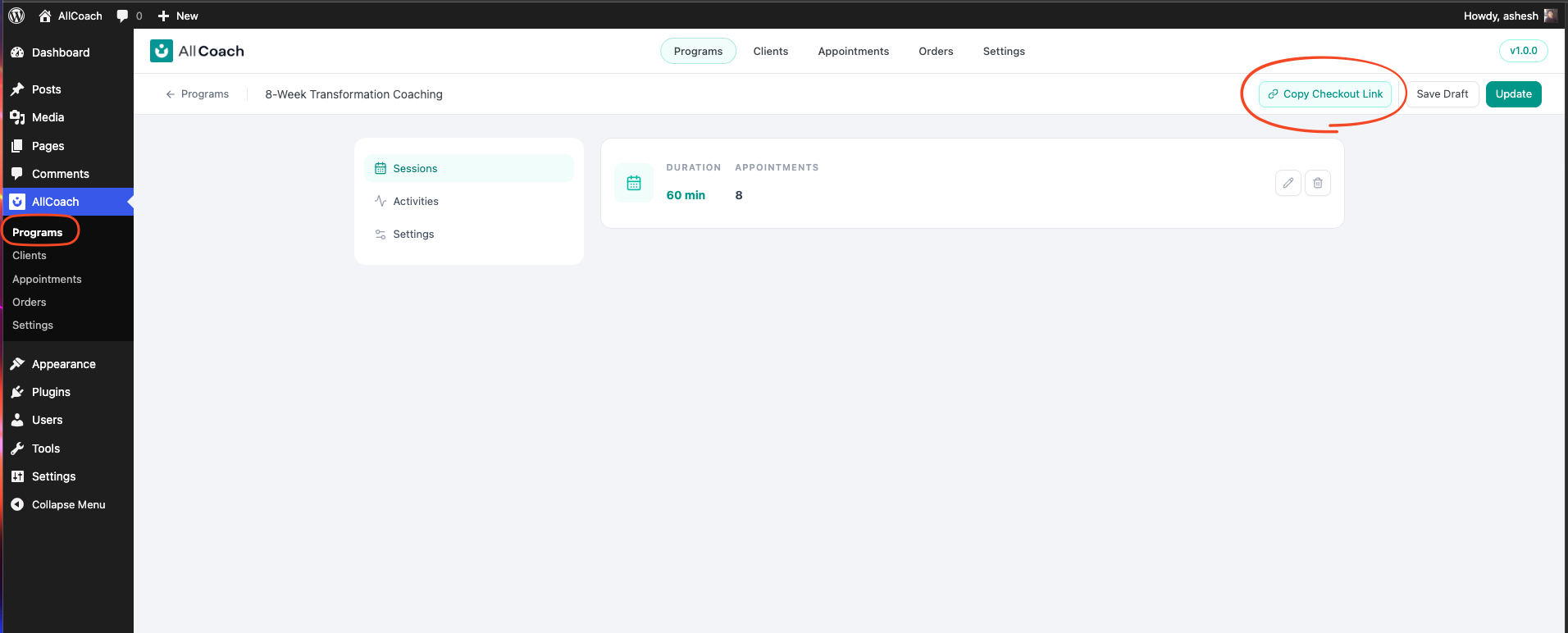
Share the link however you like: add it as a button on your website, paste it in an email, or post it on social media.
The Checkout Experience
For New Visitors (Guest Checkout)
A visitor who does not have an account can purchase without registering first:
They visit the checkout link
They enter their name and email address
They enter their payment details
They click Purchase
AllCoach creates a WordPress account for them automatically
They receive a welcome email with a link to set their password and access the portal
For Returning Clients (Logged In)
If the visitor is already logged in to your site:
Their name and email are pre-filled
They enter their payment details
They click Purchase
After Purchase
Once checkout is completed:
For free programs, the client’s enrollment is activated immediately
For paid programs, the order must be confirmed by the admin before enrollment is activated
After enrollment is activated, the client receives a welcome/confirmation email
The client can then log in to the client portal and start their program