
White Label
ProLearn how to enable the White Label add-on to rebrand AllCoach in wp-admin — replace the brand name, logo, and menu icon, rename the Coach and Client roles, and hide the version badge.
Last updated on Aug 6, 2026
The White Label add-on allows you to rebrand AllCoach with your own identity. Replace the plugin name, logo, and menu icon in wp-admin, rename the Coach and Client roles to match your business terminology, and optionally hide the version badge — ensuring your clients only see your brand.
Prerequisites
AllCoach Pro
You must have administrator access to enable add-ons and modify settings
Enabling White Label
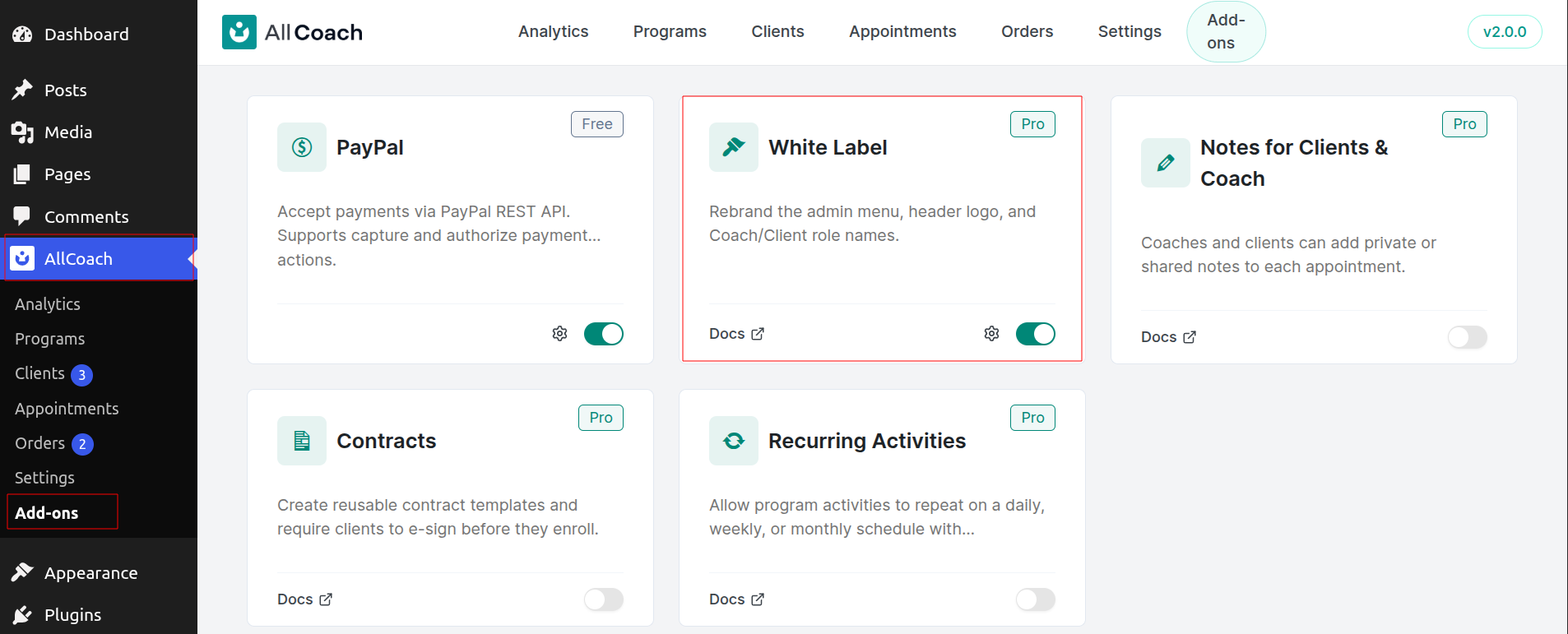
In wp-admin, go to AllCoach → Add-ons
Locate the White Label add-on card
Toggle the switch to enable it
Once enabled, the White Label settings will become available under AllCoach → Settings.
Configuring White Label Settings
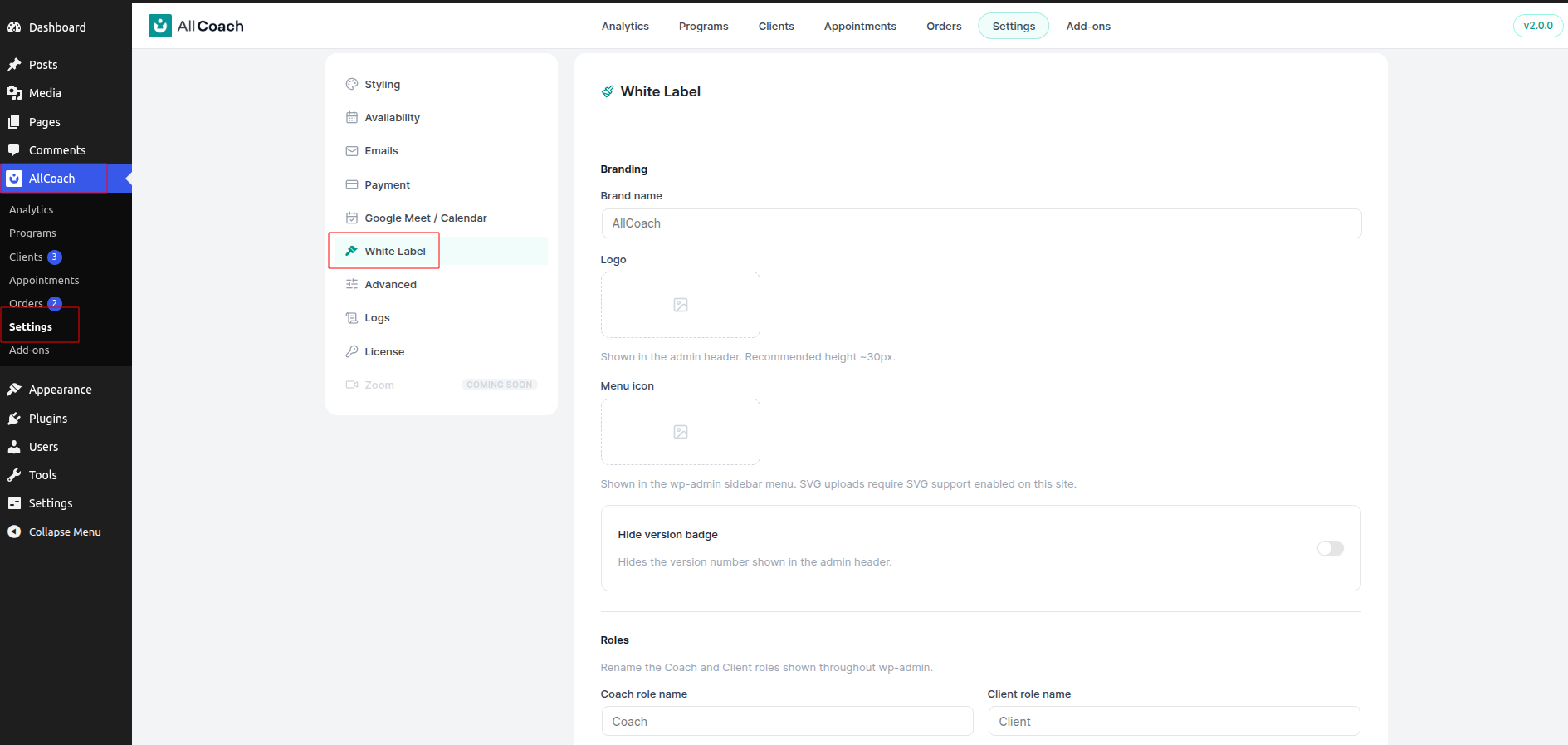
Navigate to AllCoach → Settings → White Label to customize your branding. The following options are available:
Brand Name
Enter the name you want to appear in place of AllCoach throughout the wp-admin interface. This name will replace AllCoach in the sidebar menu and other admin areas.
For example, if you enter MyCoaching, the sidebar will display MyCoaching instead of AllCoach.
Logo
Upload a custom logo to display in the admin header. This replaces the default AllCoach logo.
For best results, use a transparent PNG or SVG file. Recommended dimensions depend on your header layout, but logos around 200px wide typically work well.
Menu Icon
Upload a custom icon to replace the default AllCoach icon in the wp-admin sidebar menu. This icon appears next to your brand name in the WordPress admin menu.
Use a square icon file (PNG or SVG) for consistent display. Icons around 20x20px or 32x32px work best.
Coach Role Name
Rename the Coach role to match your business terminology. For example, you might change it to Trainer, Mentor, Instructor, or Consultant.
This label updates everywhere the Coach role appears in the plugin interface, including user lists, settings, and notifications.
Client Role Name
Rename the Client role to match your business terminology. Common alternatives include Student, Member, Participant, or Trainee.
This label updates everywhere the Client role appears in the plugin interface, including user lists, settings, and notifications.
Hide Version Badge
Enable this option to hide the plugin version number that normally appears in the admin header.
This is useful if you want a cleaner interface or prefer not to display version information to other administrators or staff members.
Saving Your Changes
After configuring your White Label settings, click the Save Changes button at the bottom of the page.
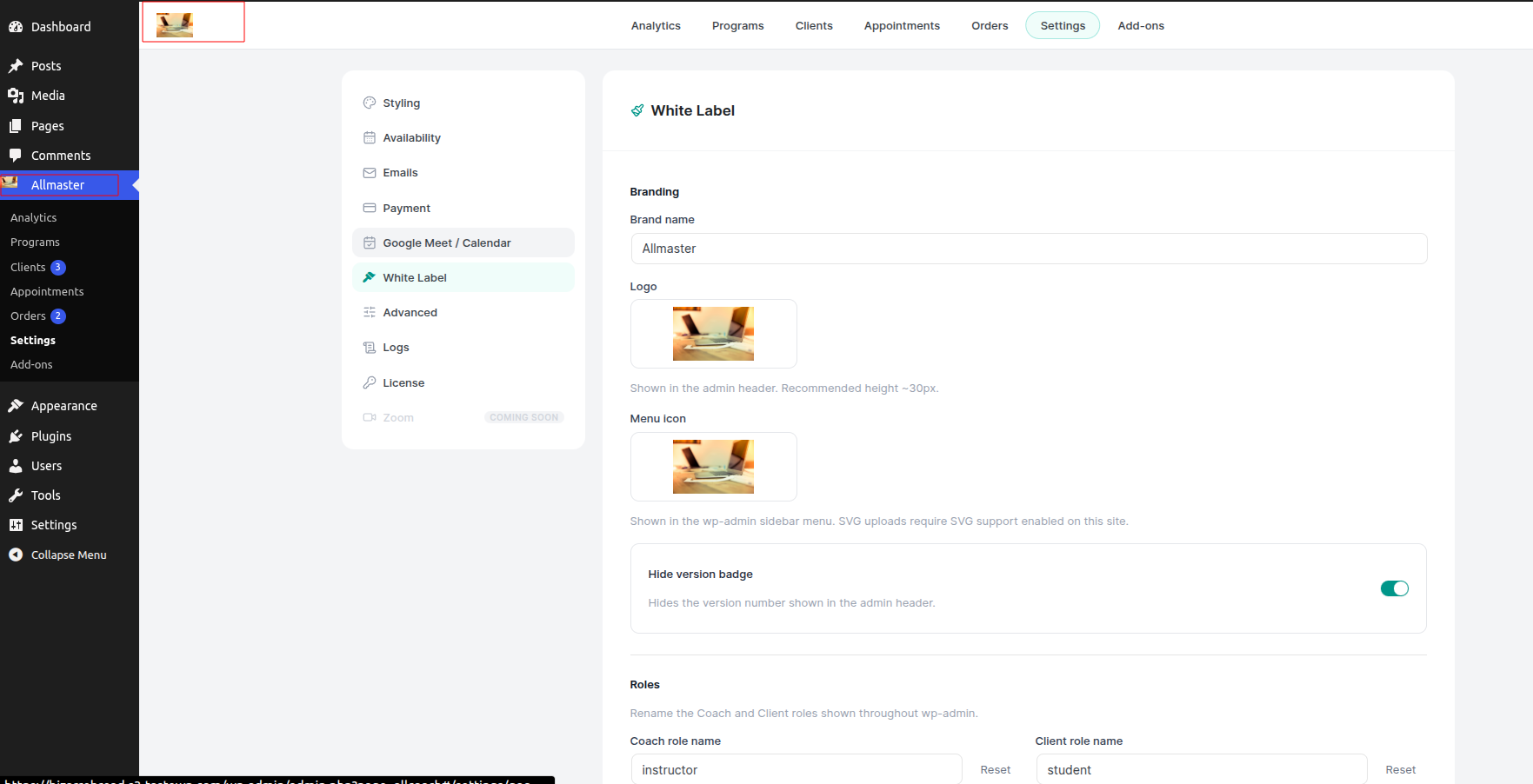
Your new branding will take effect immediately across all wp-admin areas where AllCoach appears. You may need to refresh your browser to see all changes applied.
What Gets Rebranded
When White Label is active, the following elements are customized with your branding:
Plugin name in the wp-admin sidebar menu
Menu icon in the wp-admin sidebar
Logo in the admin header
Coach role label throughout the interface
Client role label throughout the interface
Version badge visibility in the admin header