
Your Availability
Configure the days, time slots, and timezone AllCoach uses to show clients when they can book a session with you.
Last updated on May 19, 2026
Your Availability
Before clients can book sessions, you must configure when you are available. AllCoach shows only your available slots on the booking calendar.
Configuring Availability
Go to AllCoach → Settings → Availability
Set your Timezone — all slots are stored and displayed in this timezone
For each day of the week, toggle it on or off
For each enabled day, set your available time slots (start time and end time)
Click Save
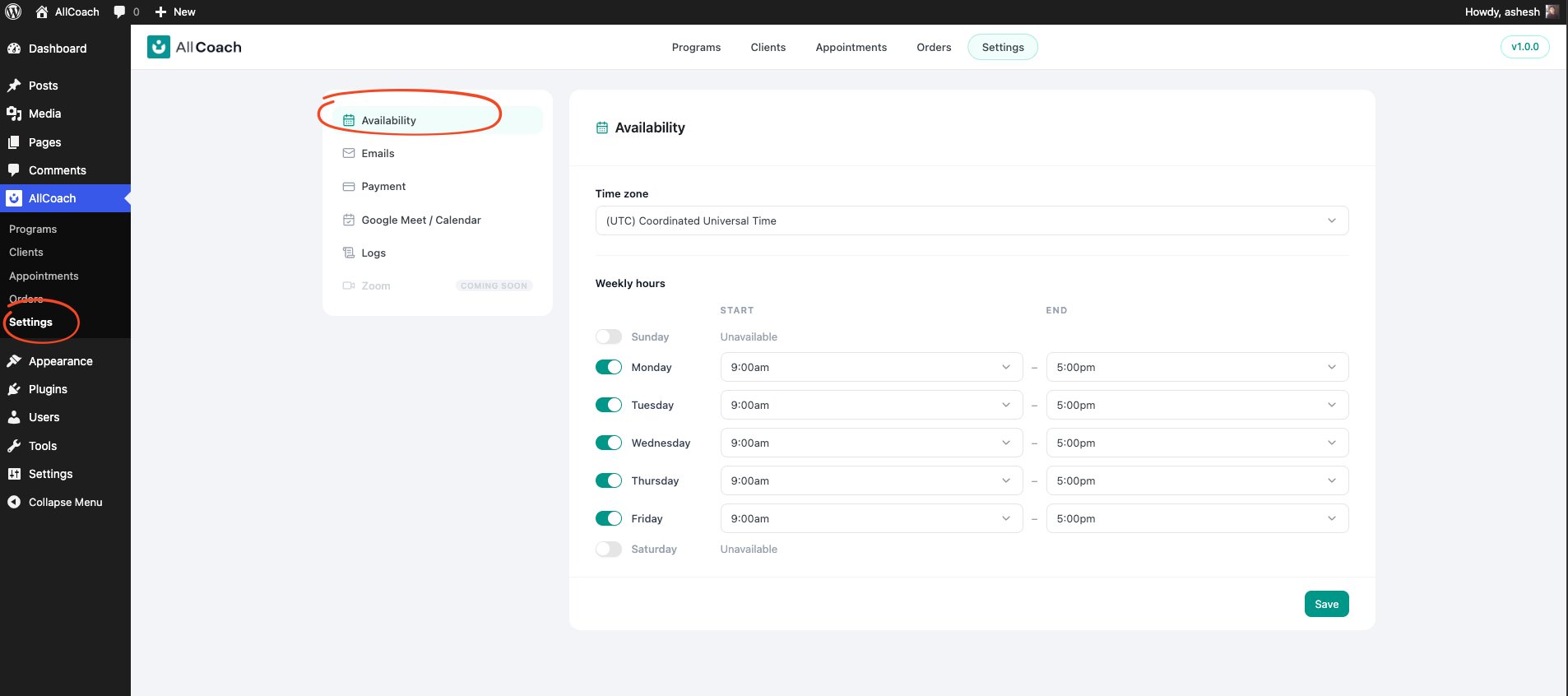
Availability Settings Reference
Setting | Description |
|---|---|
Timezone | The timezone your slots are based on. Clients see slots converted to their local time. |
Days | Toggle each day of the week on or off |
Time Slots | Start and end time for each enabled day |
Changing Availability
You can update your availability at any time. Changes take effect immediately for all future bookings — existing booked sessions are not affected.