
Styling
Last updated on Aug 6, 2026
Customize the colors used across your client-facing pages to match your brand. AllCoach lets you set the primary color and button colors that appear throughout the coaching experience.
Access Styling Settings
Navigate to AllCoach → Settings → Styling.
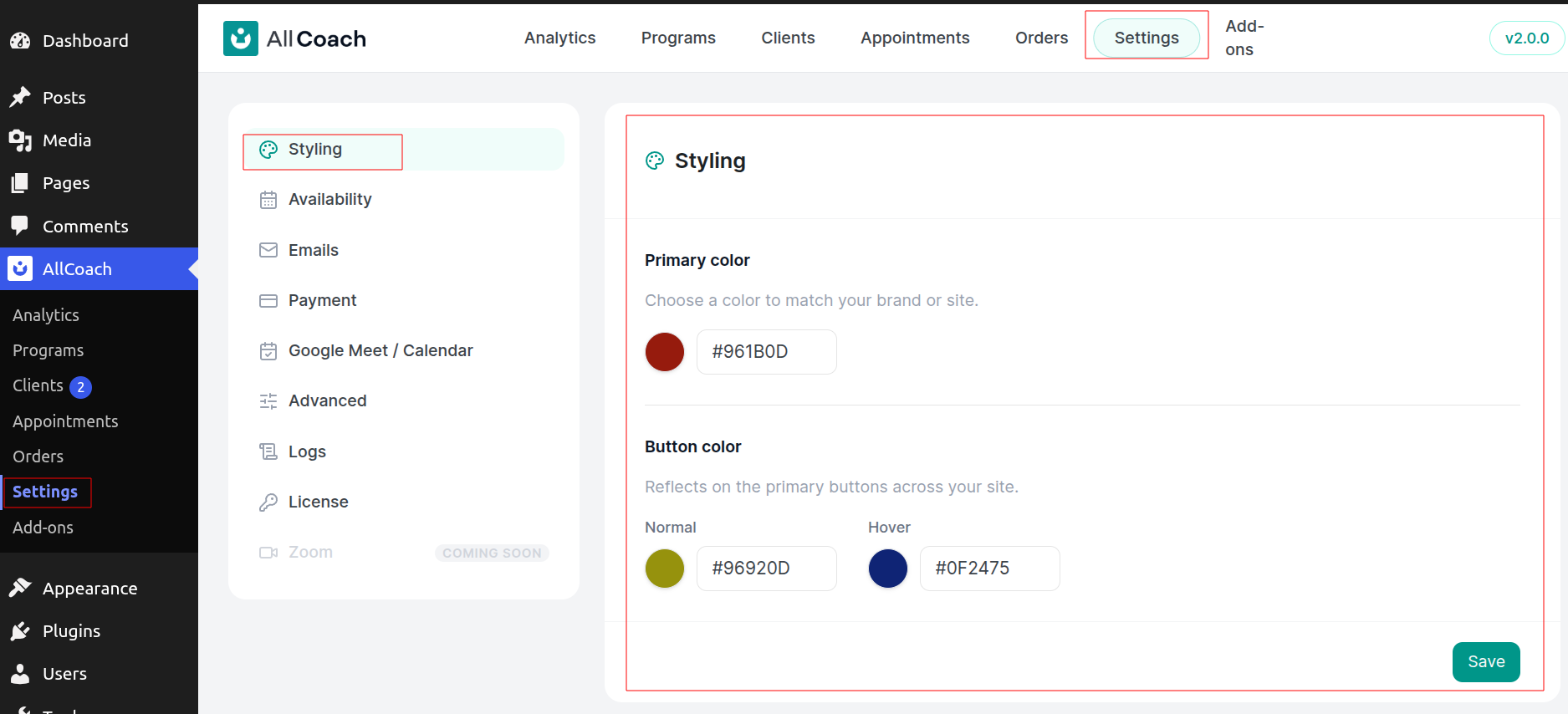
Available Color Options
You can customize three color settings:
Primary color — Controls headings, links, highlights, and accents across client pages. Default: #0D9488
Button color (Normal) — The default appearance of primary buttons. Default: #0D9488
Button color (Hover) — How primary buttons look when users hover over them. Default: #0F766E
Each option includes a color swatch and a hex field. Click the swatch to open your system color picker, or enter a hex value directly (for example, #0D9488).
Set Your Brand Colors
Go to AllCoach → Settings → Styling
Click the color swatch or enter a hex value for Primary color
Set the Button color (Normal) using the swatch or hex field
Set the Button color (Hover) using the swatch or hex field
Click Save
You will see a confirmation message: Styling settings saved. Your new colors apply to client-facing pages immediately.
Hex values must be six digits in the format #RRGGBB. If you enter an empty or invalid value, AllCoach uses the default color.
How Color Customization Works
The primary color serves as the base for a small color palette. AllCoach automatically generates a darker hover shade and two lighter tints from your primary color, so you only need to choose one base color.
The button colors work differently — AllCoach uses exactly the values you enter for Normal and Hover states, giving you full control over button appearance.
These styling settings affect client-facing pages only. The WordPress admin interface keeps its standard appearance.
If you use a caching plugin, clear your cache after saving so visitors see the updated colors.
Troubleshooting
Client pages still show old colors
Clear your page cache and reload. Verify that you clicked Save and saw the confirmation message.
Want to restore default colors
Enter the default hex values: #0D9488 for Primary and Button Normal, #0F766E for Button Hover. Click Save.
Need different colors per program
Styling applies site-wide to all AllCoach pages. Per-program color customization is not available.
WordPress admin colors changed
Styling settings only affect client-facing pages. The WordPress admin interface is not modified.